Logo ToutWindows.com

Windows Server 2003 - ADMT
Active Directory Migration Tool

Version Françaose ici

  
  Date mise à jour :

Retour accueil  


Sommaire :
Tout sur ...
- Histoire de Windows
- Futures versions de Windows
- Migrer un parc
- Quel Windows choisir ?
- Windows Deployment WDS
- Sécuriser Windows XP
- Windows, IIS et la sécurité
- Windows Update
- Internet
- l'ADSL
- Réseau domestique
- RSS - Blogs
- Sommaire
- Windows Photo Galery
- Galerie de Photo Live
- Image Composite Editor
- Photo Pro Tools
- PhotoSynth
- Découverte
- Sécuriser Windows XP
- Service Pack 2
- Service Pack 3
- Service Pack 2 FAQ
- Comment organiser ses données ?
- Formatage et partitionnement
- XP plus lent que 2000 ?
- Base de Registre
- Principales clefs du registre
- Les SID
- Internet Explorer 7
- Internet Explorer 8
- FAQ Windows NT/XP
- Sommaire
- Découverte
- Installation pas-à-pas
- Gestion des photos
- Internet Explorer 7
- Internet Explorer 8
- UAC FAQ
- La base de registre
- Liens utiles
- Documentations
- Sommaire
- Installation pas-à-pas
- Installation personnalisée
- Différentes versions
- BitLocker-To-Go
- Groupe résidentiel
- Internet Explorer 8
- La base de registre
- UAC FAQ
- Sommaire
- Installation pas à pas
- Windows Server 2003 SP1
- Tout sur Active Directory
- ADMT
- Installation de Terminal Server
- Gestion des rôles
- Partage de fichiers
- Partage d'impressions
- DNS
- DHCP
- WINS
- Windows Deployment WDS
- Sommaire
- Présentation
- Installation
- Paramétrage
- Console d'administration
- Utilisation à distance
- Tâches courantes
- Add-Ins
- Sommaire
- Installation pas-à-pas
- Tâches initiales
- Windows Deployment WDS
- Gestion des rôles
- DC : DCPROMO
- Serveur DHCP
- Installation d'Hyper-V
- Hyper-V et le réseau
- Commencer avec la version Core
- Présentation
- FAQ Exchange
- Installation
- Sécuriser
- Structure et fonctionnement
- Outils
- Optimisation
- Virtual Server
- Installation
- Gestion des VM
- Optimisation
- VMM 2007
- Installation d'Hyper-V
- Hyper-V et le réseau
- Météo
- Liens utiles
- Présentation
- Mon CV
- Mon site Perso
- Mon site de photos - Mon BLOG de photos
Laissez moi un message
English version
Dernières nouvelles de MToo :
Abonnez vous ici :


MVP Blog Badge.
<Previous page

Microsoft released ADMT (Active Directory Migration Too) same day than Windows Server 2003.

Run ADMT then select Computer Migration Wizzard

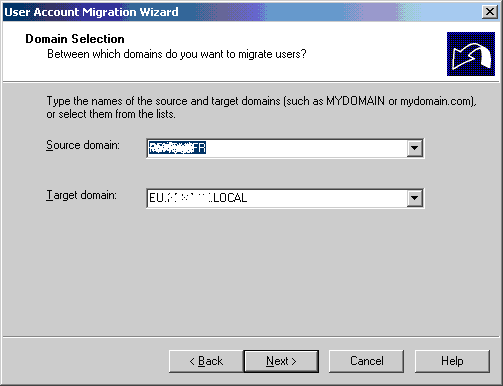
Wizzard opens and ask you to select source and target domain :

Next screen allow you to select account to migrate :

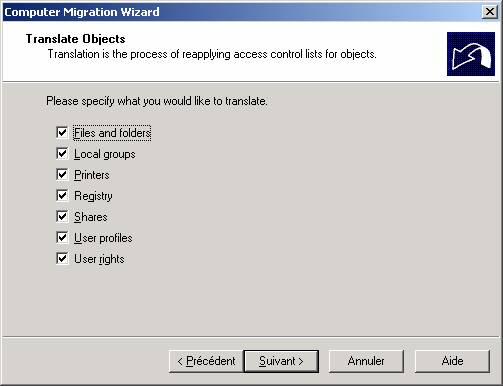
You then choose objects to be migrated on the PC :

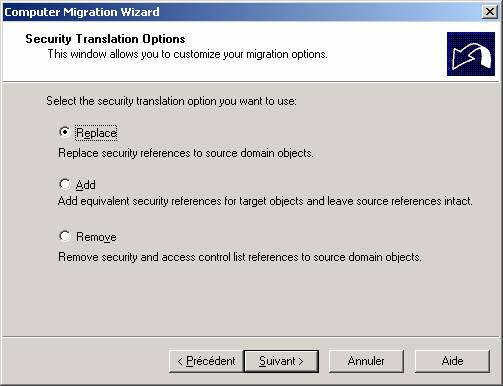
Next screen talk about local accounts to be migrated (members of local administrator group for example)

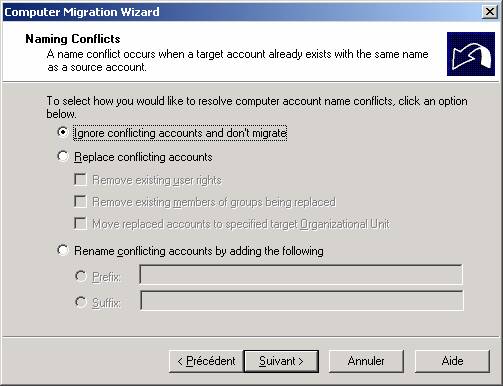
Next screen manage conflicts :

Options screen allow you to define the time after which the computer will restart (all computer must be switched on and connected to the network in order to be migrated).

Following screen allow you to see selected options, then you see a status screen displaying status of PCs.

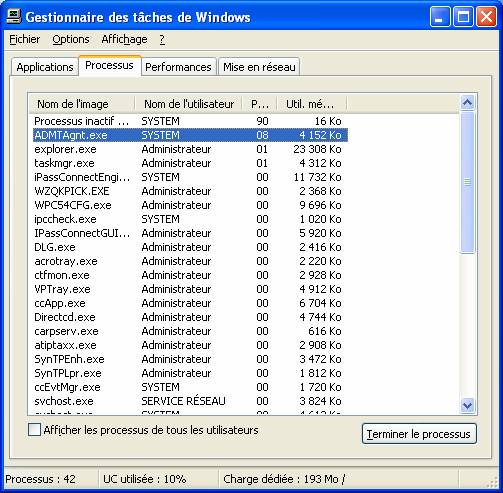
If you look onto the PCs you will se the migration agent working on each computer (that can take a lot of minutes on each computer) : ADMTAgnt.exe is taking a lot of processor on the machine.

  • Troubleshooting :

_ PC must be switched on and on same network that your server running ADMT
_ File and print service must be running on PCs
_ a firewall can block the agent to be setup
_ RPC (remote procedure call) must be setup on the PC
_ DNS on the PC must be correct
_ DNS on the server must be correct

See the kb : http://support.microsoft.com/search/default.aspx?qu=admt+rpc