Windows Server 2008 - Initial tasks

  Date mise à jour :

Retour accueil  


Sommaire :
Tout sur ...
- Histoire de Windows
- Futures versions de Windows
- Migrer un parc
- Quel Windows choisir ?
- Windows Deployment WDS
- Sécuriser Windows XP
- Windows, IIS et la sécurité
- Windows Update
- Internet
- l'ADSL
- Réseau domestique
- RSS - Blogs
- Sommaire
- Windows Photo Galery
- Galerie de Photo Live
- Image Composite Editor
- Photo Pro Tools
- PhotoSynth
- Découverte
- Sécuriser Windows XP
- Service Pack 2
- Service Pack 3
- Service Pack 2 FAQ
- Comment organiser ses données ?
- Formatage et partitionnement
- XP plus lent que 2000 ?
- Base de Registre
- Principales clefs du registre
- Les SID
- Internet Explorer 7
- Internet Explorer 8
- FAQ Windows NT/XP
- Sommaire
- Découverte
- Installation pas-à-pas
- Gestion des photos
- Internet Explorer 7
- Internet Explorer 8
- UAC FAQ
- La base de registre
- Liens utiles
- Documentations
- Sommaire
- Installation pas-à-pas
- Installation personnalisée
- Différentes versions
- BitLocker-To-Go
- Groupe résidentiel
- Internet Explorer 8
- La base de registre
- UAC FAQ
- Sommaire
- Installation pas à pas
- Windows Server 2003 SP1
- Tout sur Active Directory
- ADMT
- Installation de Terminal Server
- Gestion des rôles
- Partage de fichiers
- Partage d'impressions
- DNS
- DHCP
- WINS
- Windows Deployment WDS
- Sommaire
- Présentation
- Installation
- Paramétrage
- Console d'administration
- Utilisation à distance
- Tâches courantes
- Add-Ins
- Sommaire
- Installation pas-à-pas
- Tâches initiales
- Windows Deployment WDS
- Gestion des rôles
- DC : DCPROMO
- Serveur DHCP
- Installation d'Hyper-V
- Hyper-V et le réseau
- Commencer avec la version Core
- Présentation
- FAQ Exchange
- Installation
- Sécuriser
- Structure et fonctionnement
- Outils
- Optimisation
- Virtual Server
- Installation
- Gestion des VM
- Optimisation
- VMM 2007
- Installation d'Hyper-V
- Hyper-V et le réseau
- Météo
- Liens utiles
- Présentation
- Mon CV
- Mon site Perso
- Mon site de photos - Mon BLOG de photos
Laissez moi un message
English version
Dernières nouvelles de MToo :
Abonnez vous ici :


MVP Blog Badge.

The Initial Configuration Tasks is a new screen which provide a single point for initial basics configuration tasks :
(click on the area you want, in  order to discover options)

French Version / Version Française
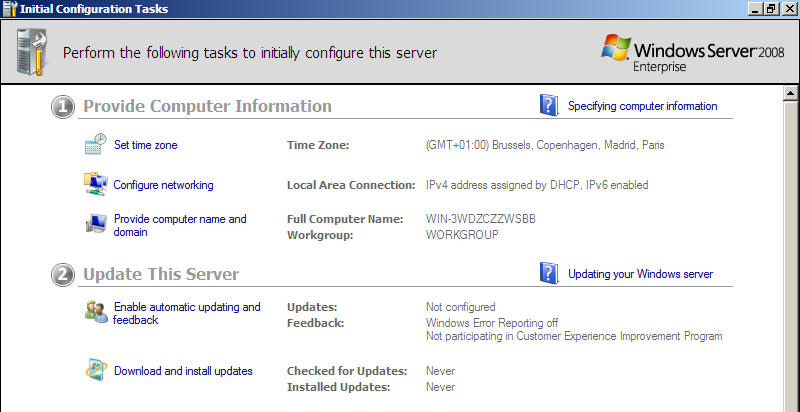


1 - Provide Computer Information :


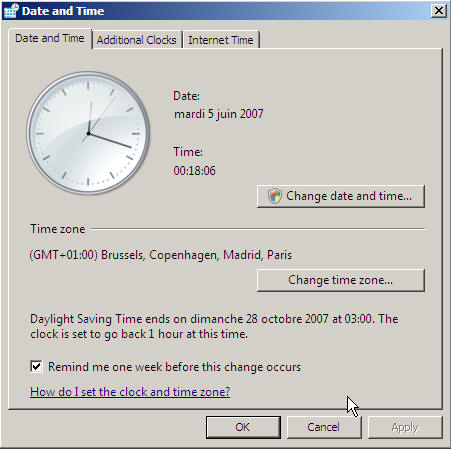
Define here the time zone and daylight saving settings.

A new option allow the server to remind you one week before time changes.

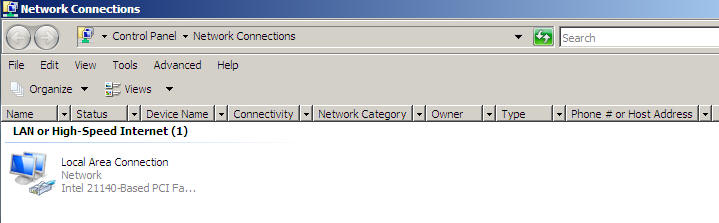
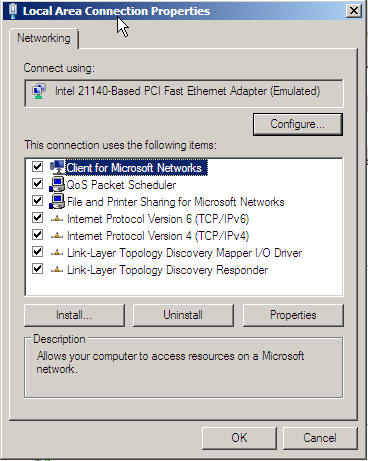
The new screen for managing connection allow to change network settings, here is a default configuration for a network connection :


Windows Server 2008 network config

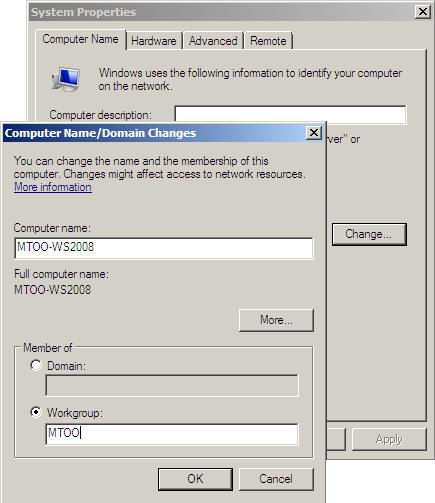
Use this screen for providing server name, description and name of the workgroup or domain membership of the server (you will need a domain administrator account and password in this case).

If you change name, domain or workgroup, you will need to restart the server.

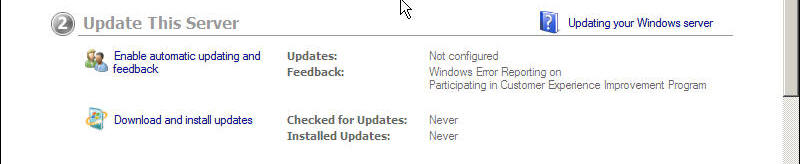
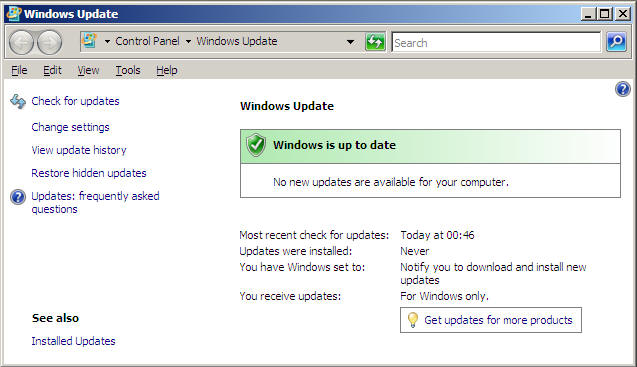
2 -Update this server

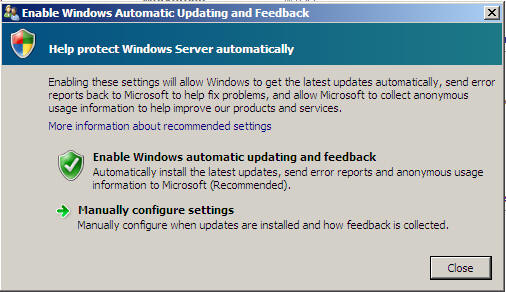
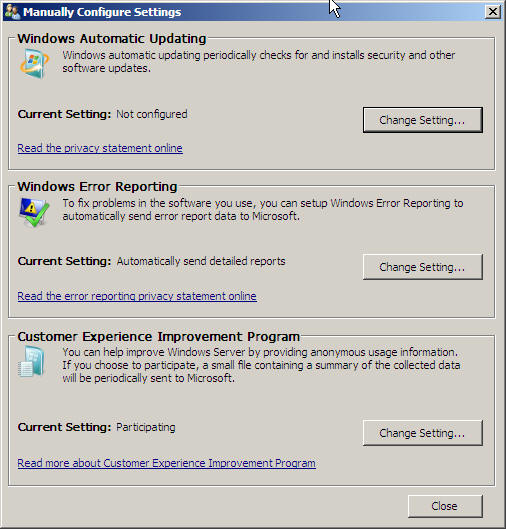
Use this screen for configuring Microsoft Update, Windows Error Reporting and Customer Experience Program.

If you choose to configure manually, you will be redirected to the screen on the right, which redirect you the appropriate screens for each option.

Click on this option in order to check for new updates.

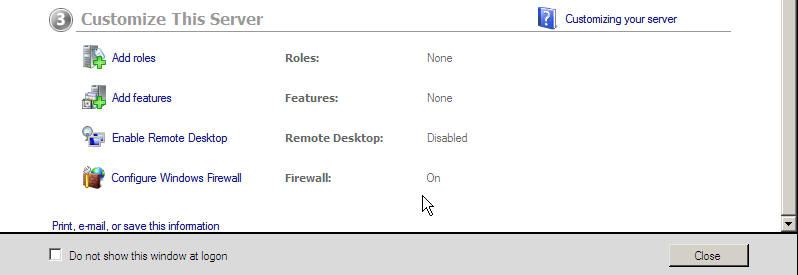
3 - Customize This Server

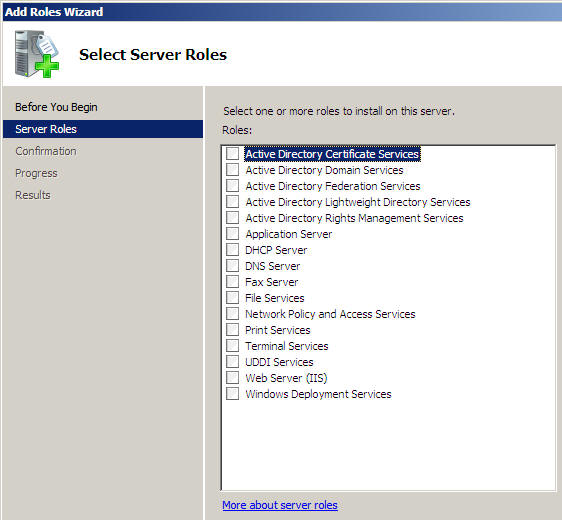
Click on this icon for adding roles to your server (a wizard will guide you during the process).

NB : as you can see, SharePoint (WSS) is not in the list anymore, Microsoft finally decided to provide it separatly. 

WS 2008

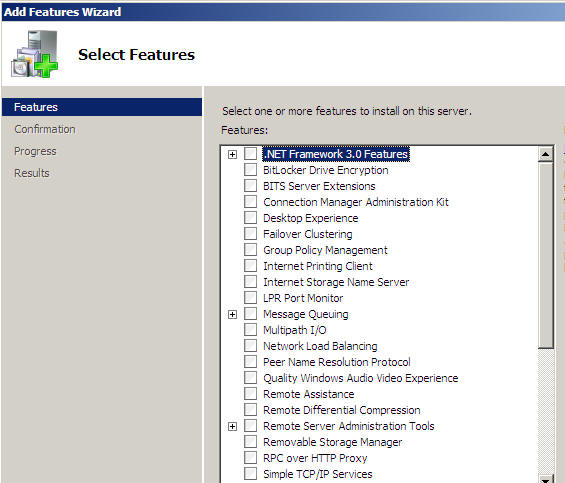
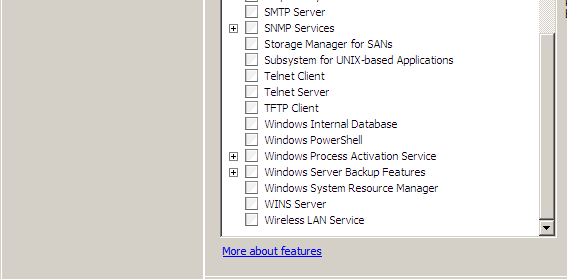
Click on this place in order to add Windows components (that's the new place for Add  /Remove programs / Windows Components

A Wizard will be displayed in order to help for the process of adding or removing a feature.


WS 2008
WS 2008 features


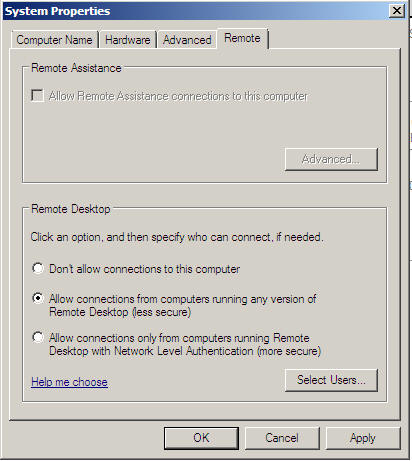
Click on this item for opening the Remote Desktop options.

The Windows Firewall will be configured for exceptions if you enable this option.

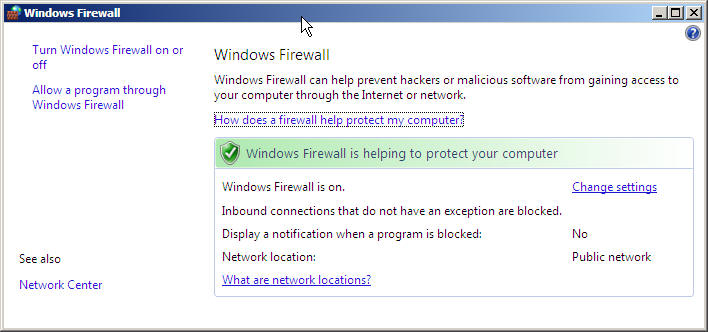
Windows Firewall (which is on by default) can be configured from this place.


  Toutwindows.com - Sommaire Windows Serveur - Sommaire